A private, instant notepad for the web.
Open it. Type. Never press Save. Markdown and code, encrypted in your browser before it goes anywhere, and fast enough that you forget it is there.
New Your coding agent’s remote control. Plan on your phone; it builds at your desk. See how →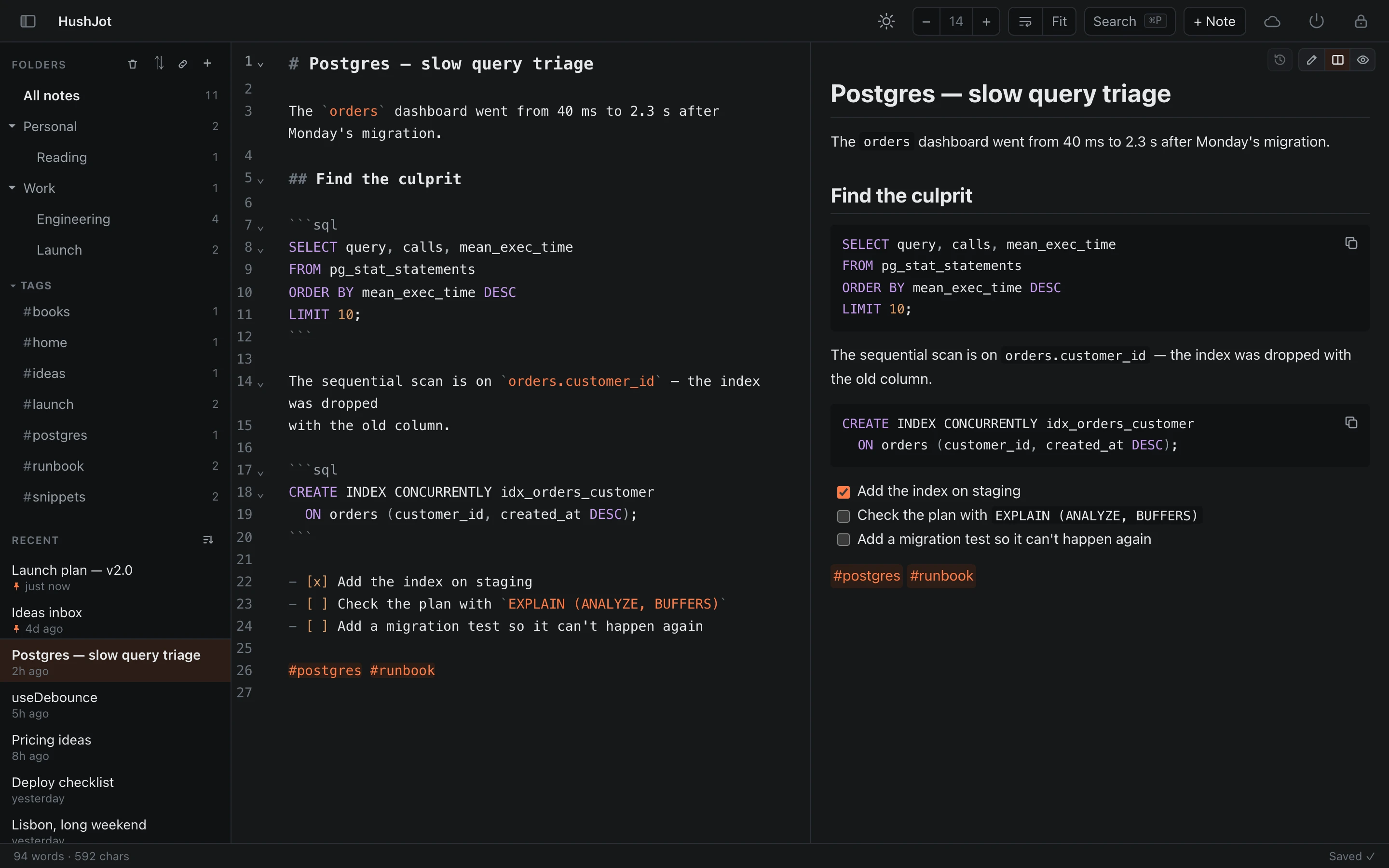
Plan it on your phone. Your agent builds it.
Ideas arrive when you are nowhere near your desk. Write them in a HushJot note, from your phone or any browser tab, a locked-down work laptop included. The coding agent you already run on your computer reads that one folder, asks its questions in a note, waits for you to tick the box, and builds only after you approve the plan. Your notes are its remote control.
-
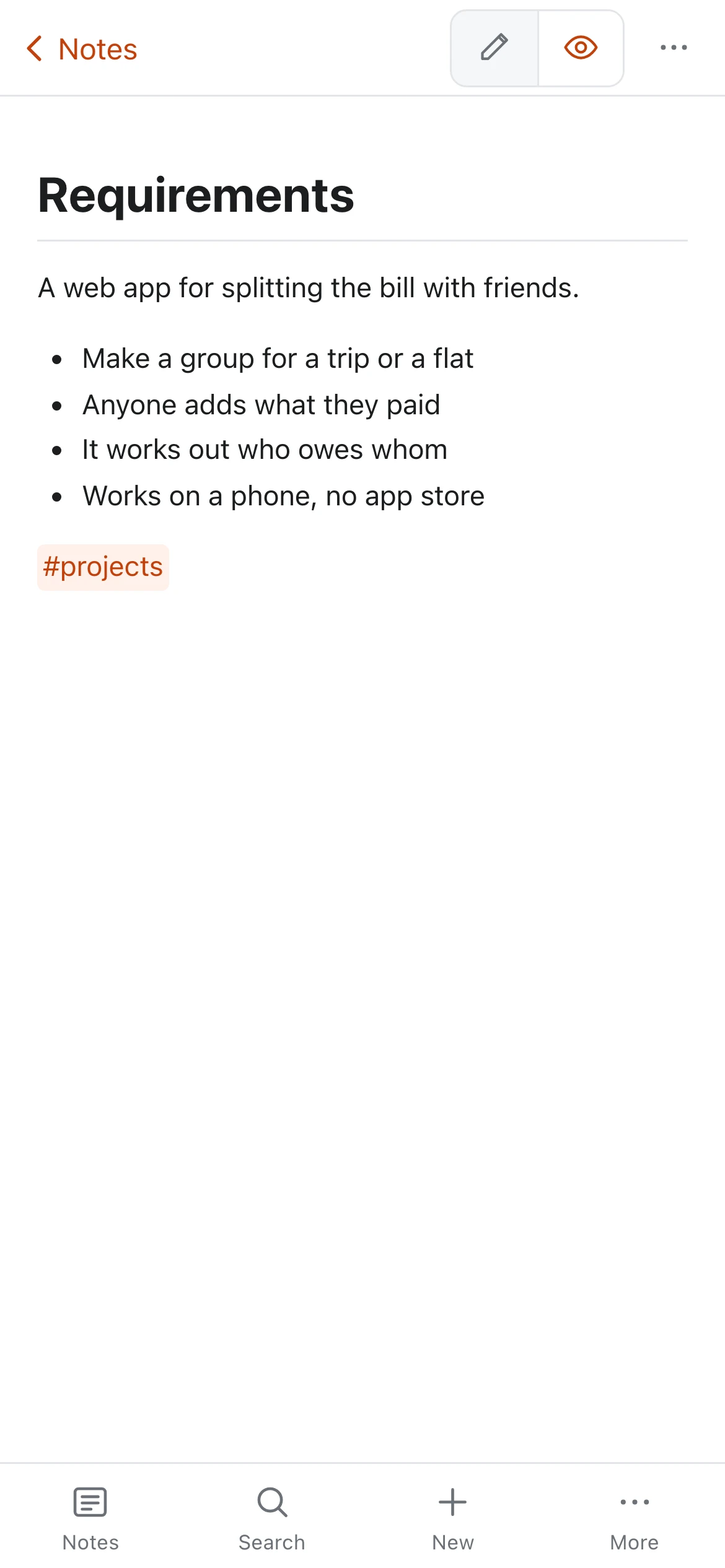
Write
Put what you want in a Requirements note, on the bus.
-
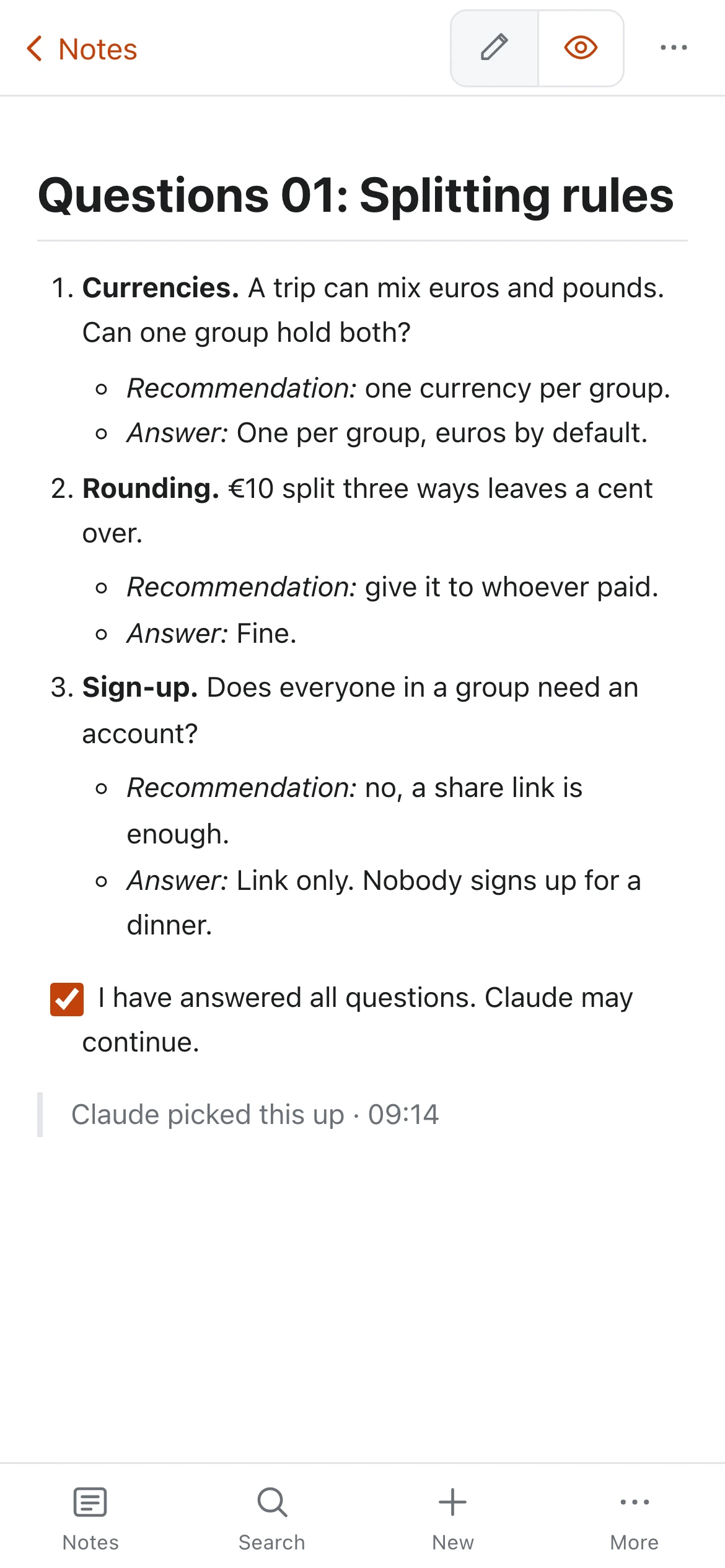
Answer
It asks in Questions 01, with a recommendation for each. Answer, tick the box.
-
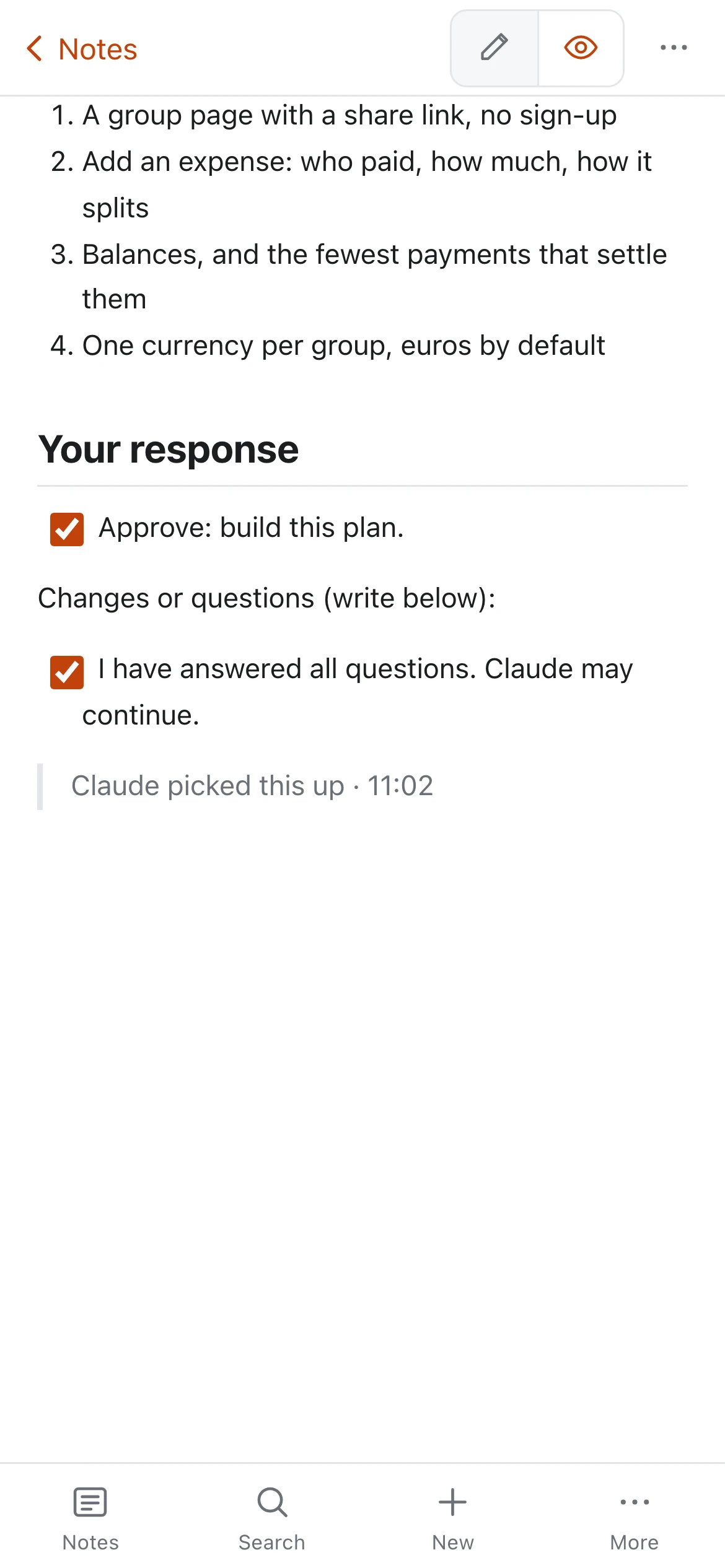
Approve
It writes Docs/Plan. Tick Approve, or write changes and get a revised one.
-
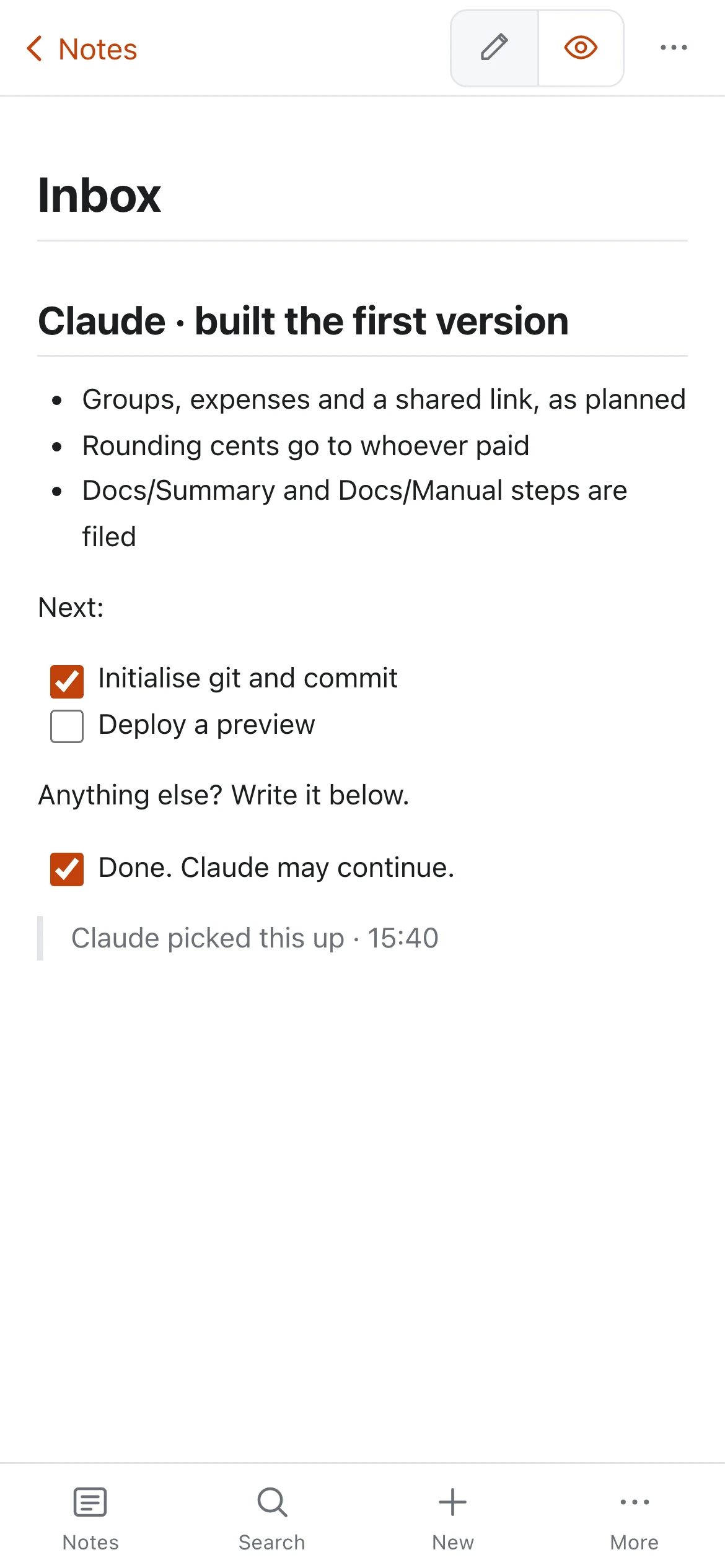
Built
It builds, files Summary, Architecture and Decisions, and reports in your Inbox.


- A coding agent that speaks MCP, on a computer that stays on. The agent is yours; HushJot is the channel.
- HushJot Sync and the
hushjotcommand:npm install -g @hushjot/cli. - Ten minutes to set it up. Nothing on our side ever sees a word.
A note your agent reads goes to that agent’s model provider, like anything it reads. Scope it to one project folder.
We can't read your notes. Not "won't". Can't.
Every note is sealed with AES-256-GCM in your browser, under a key only your passphrase can unwrap. For each note, our server stores the ciphertext, a revision counter, timestamps and a deleted flag. Nothing readable.
- Titles, bodies and folder names are all encrypted
- Argon2id key derivation, recovery code for when you forget
- No analytics, no trackers, no third-party scripts
Ship date is Thursday 16 Oct.
- [x] Freeze the release branch
- [ ] Record the 60-second demo
Markdown with a live preview. Code that looks like code.
Write on the left, see it rendered on the right, and never wait for either. Fences are highlighted in about 150 languages, loaded only when you use them.
- Edit, split or preview, per note
- Tables with a size picker and Tab navigation
- Task lists you can tick right in the preview
- Copy any code block in one click
- Mermaid diagrams, drawn in your theme

Up to four notes at once.
Open the spec beside the code beside the checklist. Each tile has its own mode, so you can read one while you write another. Arrange them in columns, rows or a grid.
- Open beside with ⌘\
- Focus mode hides everything but the words
- Every tile keeps its own scroll and undo

Search that's instant, even though it's encrypted.
Your server can't search what it can't read, so HushJot searches on your device, across 10,000 notes in 18 ms. Press ⌘P and start typing.
#tag,in:Folder,"exact phrases"and-exclusions- Tags come from the text itself, no fields to fill in
[[Links]]between notes, with completion

Thirty days of history, with a diff.
HushJot keeps the note as it was when each editing session began. Compare any version line by line, and restore it, or copy it out as a new note.
- Recently deleted restores a note exactly as it was
- Conflicts are kept side by side, never merged away
- Share one note by link, sealed under its own key, expiring when you say

A real phone app, not a squeezed desktop.
Below tablet width HushJot changes shape: a note list you can swipe, a full-size editor, and a key bar with the Markdown symbols your keyboard hides.
- Install it to your home screen, it works offline
- Quick capture from the share sheet, or a Shortcut on iPhone
- Swipe a note to pin it

Small things, thought about.
Tags are just text
Write #postgres anywhere in a note and it's tagged. No forms, no fields.
Notes that link
[[Pricing ideas]] links to a note by title, with completion as you type.
Leaves with you
Export everything as plain .md files in your folder layout, and a monthly nudge to keep a backup. No format to escape from.
Works offline
Everything lives on your device first. Sync catches up when you're back online.
Keyboard first
A command palette for everything, and a ⌘J leader key that never fights your browser.
No account to start
Local-only mode is the whole editor, free forever. A plan adds sync, sharing, account history and the agent remote control.
These numbers are release gates, not marketing.
Each one is a check in the release verification: it is re-measured against the shipped build, and the check fails if any of them gets slower.
Apple M4, October 2026 (the Pixel 9a figure is from September). The bench harnesses are in the repository and run against the shipped build.
Every feature we left out is a bug or a leak that can't happen.
Attachments
A blob store would change the cost model and the security model. This is a text notepad.
Built-in AI
Nothing on our side reads your notes to summarise them, and nothing ever will; our side can't. Connect your own agent instead, and it sees only the folder you give it.
Teams
One person, their devices, and the agents they choose to let in.
Tracking
No analytics, no third-party scripts in the app, no cookies set by us on this site.
Plugins
No block editor, no graph. Titles are the first line, and tags are text.
Free to use. Pay only to sync.
Stop paying and we never delete the notes on your devices.
Local-only
Every feature, on one deviceforever, no account
- Unlimited notes, encrypted on your device
- History, search, tiles, export
- Works offline
- Stored in this browser only: export to back up
Sync
Every device, end-to-end encryptedor $5 a month
- Everything in Local-only
- Sync across phone, laptop and desktop
- Share notes by link
- CLI and MCP server: your coding agent’s remote control
Open it. Type. Never press Save.
No account, no install, no waiting. Any browser, any computer.