An online notepad that opens instantly.
Open a tab and type. It saves as you go, works offline, and nobody can read it but you: every note is encrypted in your browser before it is stored. No account, no ads, no install.
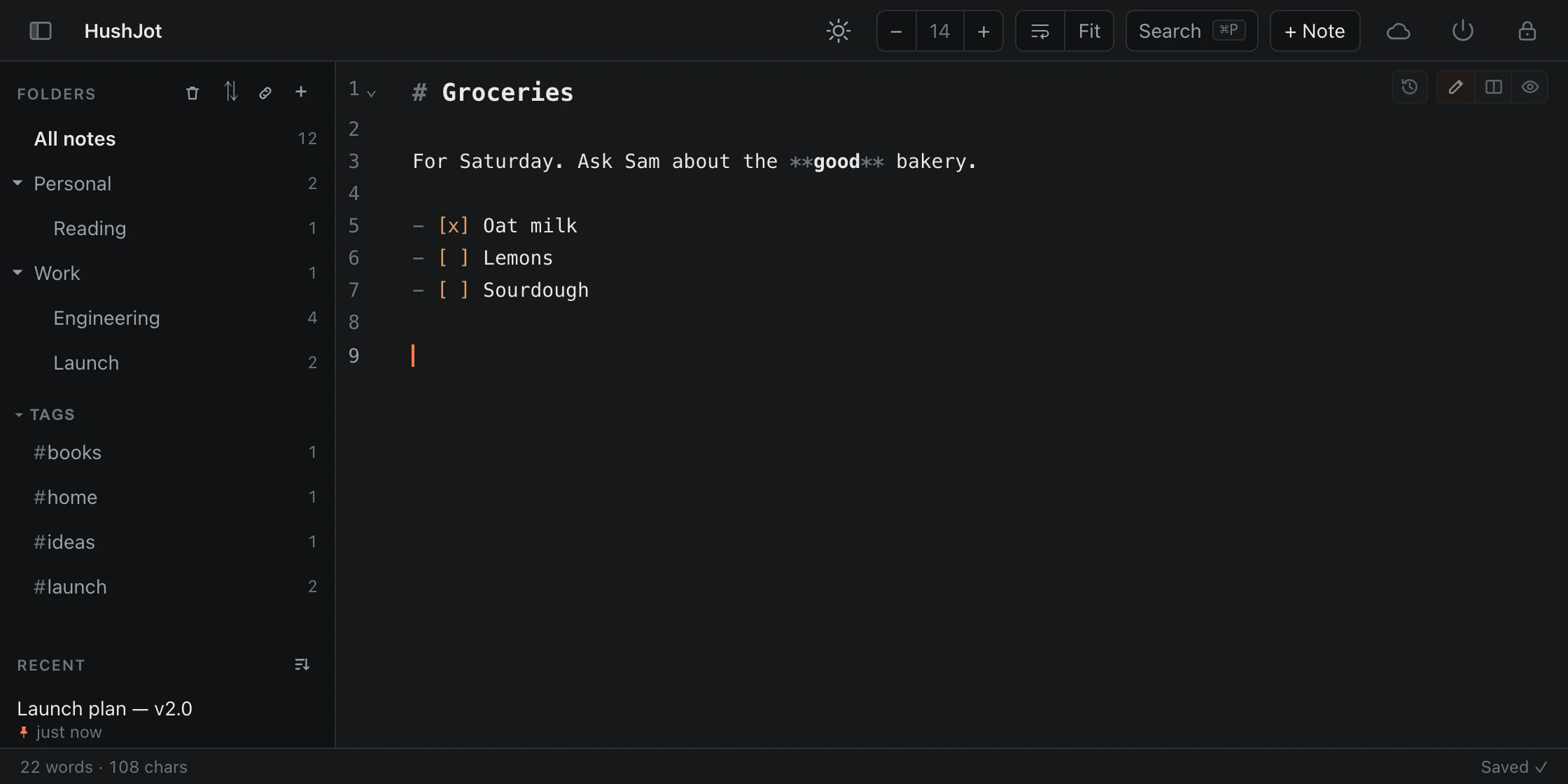
Open it and write. That’s the whole setup.
Choose “Use this device only” once, and the notepad is yours: every feature, no email address, no password, no trial that runs out.
- Saves every keystroke; there is no Save button
- Unlimited notes, with folders, tags and search
- Works on a locked-down work computer: it is just a website

A notepad that can’t be read. Not even by us.
Many online notepads keep your text on their server, where it can be read. HushJot encrypts each note in your browser with AES-256-GCM, under a key only your passphrase unlocks. Without an account, the notes never leave your device at all.
- No ads, no analytics, no trackers
- Titles and folder names are encrypted too
- Remote images are never loaded, so opening a note tells nobody

On your phone, offline, in a tab.
On a phone it becomes a proper notes app: a list you can swipe, a full-size editor, and a key bar with the symbols your keyboard hides. Install it to your home screen and it opens with no connection at all.
- Plain text, or Markdown when you want a list or a checkbox
- Export everything as plain
.mdfiles, any time - Add Sync to see your notes on every device, still encrypted

Whatever you’d write on the back of an envelope.
- Quick listsGroceries, packing, today’s to-dos, with boxes you can tick.
- Pasting and tidyingSomewhere to drop text, clean it up and copy it out again.
- Meeting notesHeadings and bullets as fast as people talk.
- Code snippetsCommands and queries, highlighted in about 150 languages.
- DraftsEmails and posts you’re not ready to send, kept away from the send button.
- Things that are nobody’s businessHealth notes, journal entries, half-formed ideas: encrypted before they are stored.
Before you start.
- Is it free?
- Yes. The whole notepad is free on one device, with no account and no time limit. You only pay if you want your notes synced between devices: $39 a year plus tax.
- Do I need to sign up?
- No. Open hushjot.app, choose to use it on this device only, and start typing. No email address, no password.
- Where are my notes saved?
- In your browser’s own storage on your device, encrypted. Without an account nothing is sent to us. That also means clearing your browser’s site data deletes them, so export a backup now and then; HushJot reminds you once a month.
- Can I open my notes on another device?
- With HushJot Sync, yes: your notes stay end-to-end encrypted and appear on your phone, laptop and desktop. Without it, notes stay on the device you wrote them on.
- Can you read my notes?
- No. Notes are encrypted in your browser with AES-256-GCM before they are stored, under a key only your passphrase unlocks. Our server only ever receives ciphertext. The security page has the details.
- Does it work offline?
- Yes. Once it has loaded, it works without a connection, and you can install it to your home screen or dock like an app.
- Do I have to use Markdown?
- No. Plain text works as it is. Markdown is there when you want a heading, a list or a checkbox; the cheat sheet fits on two pages.
- Can I download my notes?
- Yes. Export gives you every note as a plain
.mdtext file, in your folder layout, readable in any text editor.
Open it. Type. Never press Save.
No account, no install, no waiting. Any browser, any computer.